See it with Northwind Labs
One approved list of AI tools for your whole company, enforced in Claude Code, Copilot, Cursor, Windsurf and your pull requests, with alerts when an approved tool changes.
Northwind Labs is an example company. Its people, tools and numbers are made up, and none of them is a real customer or a real product.
Start from a ready-made list
Northwind Labs's security lead starts from the Startup default list, not a blank page.
 Tap to open full size
Decide on each tool
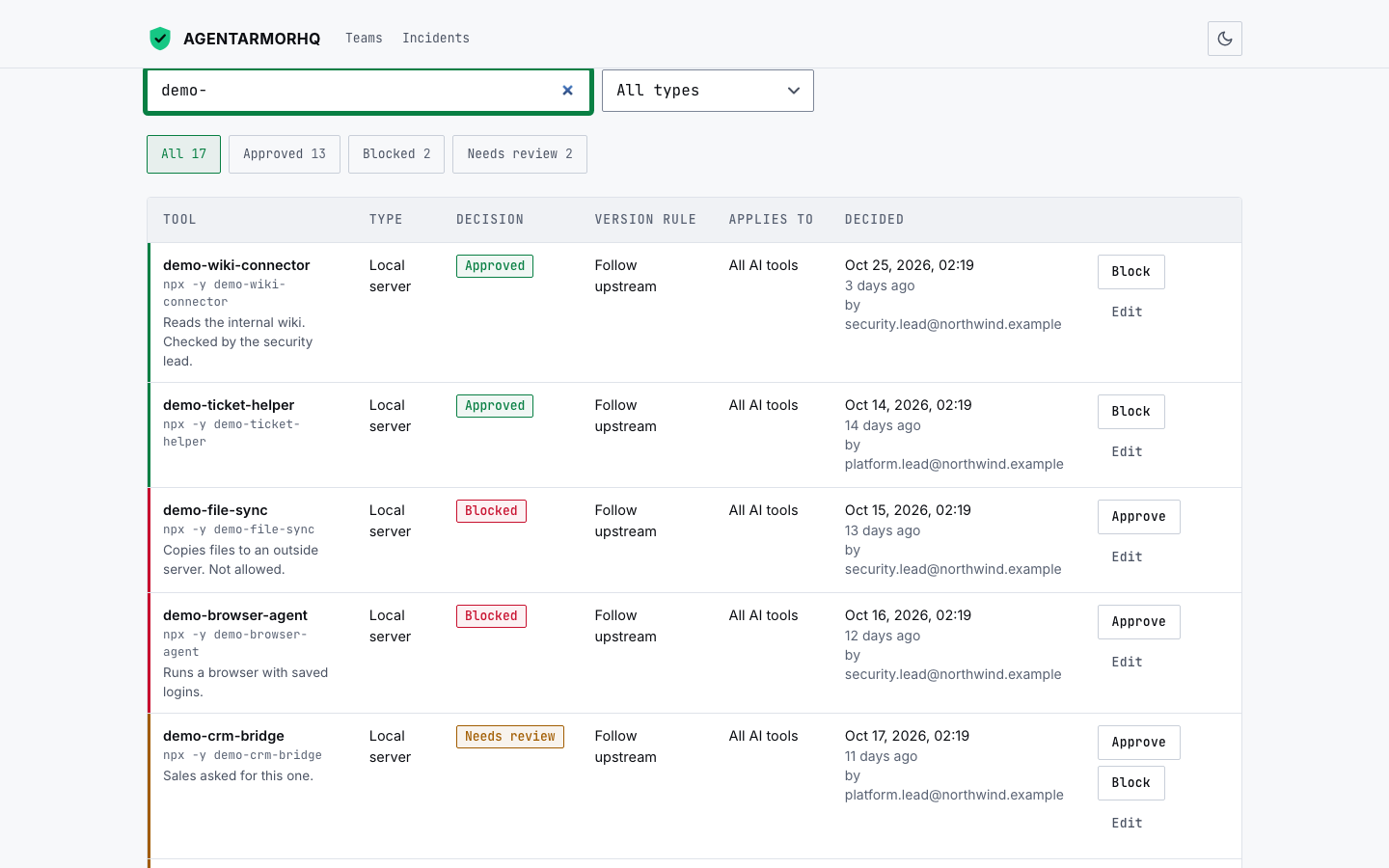
They mark each tool Approved, Blocked or Needs review: demo-wiki-connector is approved and demo-file-sync is blocked.
 Tap to open full size
Turn on the pull-request check
They add the check to one repository, and a pull request that adds demo-file-sync is held with a message that says why.
 Tap to open full size
Send the rules to the AI tools
They export the list as rules for Claude Code, Copilot, Cursor and Windsurf.
 Tap to open full size
Add a laptop
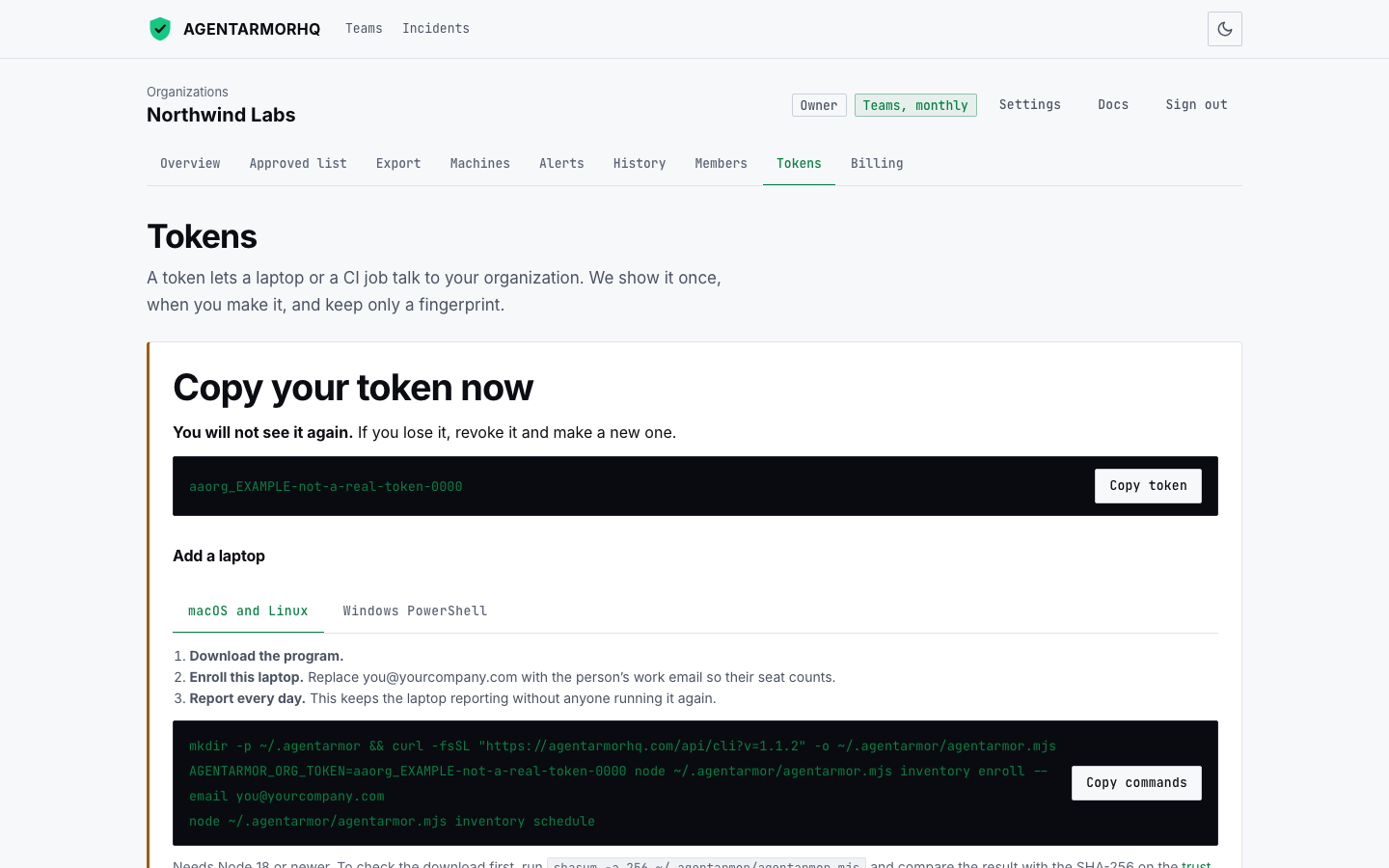
An engineer downloads the command, runs it once with a company token, and the laptop appears in the dashboard.
 Tap to open full size
See what is in use
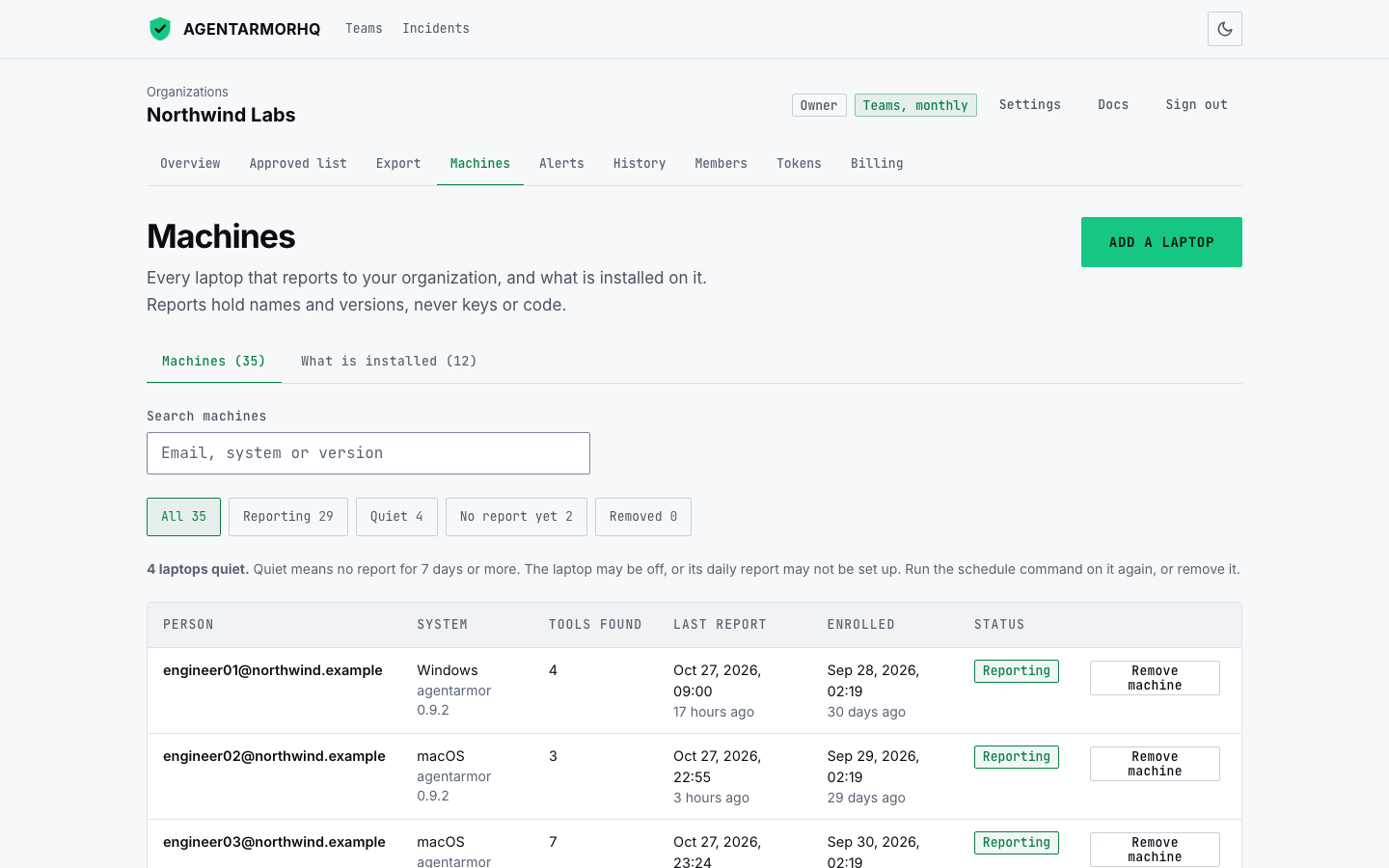
The Machines page shows the tools on each laptop, and who has each npm or PyPI tool. A tool that is not on the list is one click from a decision.
 Tap to open full size
Get told when something changes
When a blocked tool turns up on a laptop, a message goes to Slack or email.
 Tap to open full size
Want this for your company?
The first 5 companies get 50% off for 6 months as design partners. You can also read what the laptop command sends first.